Step 1 — Create your Pocket Option account
Sign up for a Pocket Option account through our link and confirm your email. You'll find your Trader ID in your profile — that's all PO-Bot needs.
Step 2 — Deposit from $50
Add at least $50 so you can place real trades. Pocket Option supports cards, e-wallets, bank transfer and crypto. PO-Bot only reads the market — it never touches your balance and never needs your password.
Step 3 — Open PO-Bot and enter your Trader ID
Copy the Trader ID from your Pocket Option profile, then open the web app or the Android APK and paste it to activate signals.
Step 4 — Analyse and place your trade
Pick a pair & timeframe
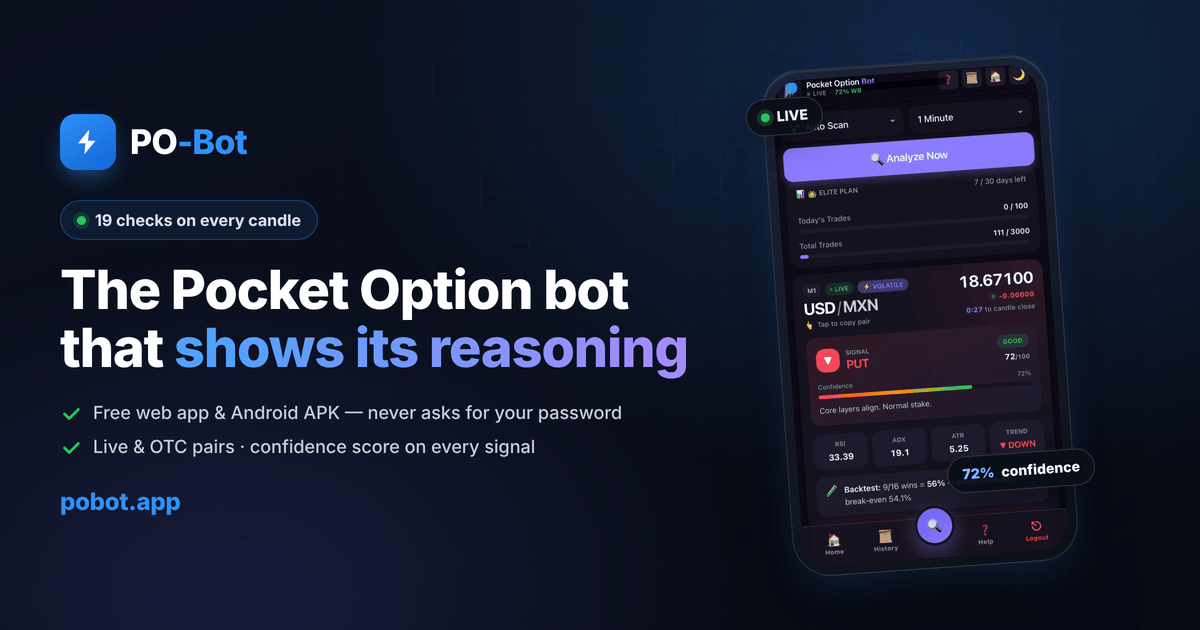
Choose a live or OTC pair and timeframe, or let Auto Scan rank the cleanest setups.
Read the signal
CALL, PUT or WAIT, a confidence score and the full checklist so you see why.
You place the trade
Open Pocket Option and place it yourself with a small, fixed stake. The bot advises — you decide.
Tip: start on a Pocket Option demo account. Test the signals with zero risk and keep a journal before risking real money.
Finding your Trader ID
Your Trader ID is the only thing PO-Bot needs from your Pocket Option account — and it is not your password. After you log in to Pocket Option, open your profile or account settings; the numeric Trader ID (sometimes called account ID) is shown there. Copy it exactly, with no spaces, and paste it into PO-Bot's connect screen. If the bot says it can't find your ID, double-check you copied the full number and that the account was created through the sign-up link so it can be matched.
A simple first-week routine
Don't rush to real money. The traders who last treat their first week as training, not earning. Here's a routine that works:
Days 1–3: demo only
Open a Pocket Option demo account and run PO-Bot on it. Take only setups where CORE is 4/4 and confidence is high. Write down every trade: pair, time, confidence, result, and why you took it.
Days 4–5: review your journal
Look for patterns. Which sessions worked? Did you win more on live pairs or OTC? Were your losses on clean setups or ones you forced?
Days 6–7: tiny real stakes
Only if you were disciplined on demo, switch to the smallest real stake Pocket Option allows. The goal is to feel real emotions with trivial money, not to make a profit yet.
Money rules that matter more than any signal
No signal tool can save a trader with bad money management. These rules do more for your account than any indicator:
- Fixed small stake. Risk the same small percentage (many use 1–2%) on every trade. Never size up to "win it back".
- Daily loss limit. Decide before you start how many losses end your day, and actually stop. Tilt is where accounts die.
- No martingale. Doubling after a loss turns a normal losing streak into a blown account. PO-Bot will never tell you to martingale.
- Quality over quantity. Ten clean setups beat a hundred rushed ones. The WAIT signals are doing you a favour.
- Trade your plan, not your feelings. If you're angry, bored or trying to recover a loss, close the app.
Common setup mistakes to avoid
- Registering outside the link. If your account isn't connected to the sign-up link, the bot may not be able to match your Trader ID.
- Depositing money you need. Never fund your account with rent, bills or borrowed money. Trade only what you can lose completely.
- Skipping the demo. If you're not green on demo with strict rules, you won't be green live.
- Overriding WAIT. The bot saying "no trade" is a result. Respect it.
- Trusting "100% sure" groups. No honest tool promises a win rate. PO-Bot shows you the reasoning so you can judge for yourself.
What PO-Bot will and won't do
It's worth being straight about this before you start, because honest expectations are what keep traders in the game. PO-Bot will analyse live and OTC pairs across 19 layers, block weak setups, rank pairs with Auto Scan, and explain every CALL or PUT so you understand the reasoning. It will not place trades for you, guarantee a profit, or recover a losing streak through some secret setting. There is no such setting — in any tool. Digital options are high-risk and most retail traders lose money. What a good analysis tool actually does is cut the low-quality entries and force you to slow down and think, and that discipline is worth more than any single signal. Go in with that mindset and the tool helps you; go in expecting a money printer and no tool will save you.
Keeping your account safe
A few habits protect you from the scams that circle every trading community:
- PO-Bot never needs your password. Only your Trader ID. Anyone asking for your Pocket Option password, card number or OTP is not us.
- Download the app only from this site. Copies on random APK mirrors or re-uploaded in Telegram channels may be tampered with.
- Enable two-factor authentication in your Pocket Option security settings.
- Ignore "account managers" who offer to trade for you or promise guaranteed returns. That is the oldest scam in this space.